Showing posts with label Oracle SBC. Show all posts
Showing posts with label Oracle SBC. Show all posts
Sunday, 11 January 2026

Monday, 15 May 2023
Friday, 12 May 2023
Wednesday, 3 May 2023
Tuesday, 2 May 2023
Monday, 17 October 2022
Oracle SBC - Local Route Table - Block Inbound Call
Oracle SBC - Local Route Table - Block Inbound Call
Tuesday, 7 June 2022
Oracle E-SBC Virtual Installation
Oracle E-SBC Virtual Installation
E-SBC 9.1
V1019984-01.zip -> nnSCZ910-img-vm_vmware.ova
Baud rate: 115,200 bits/second
Data bits: 8
Parity: No
Stop bit: 1
Flow control: None
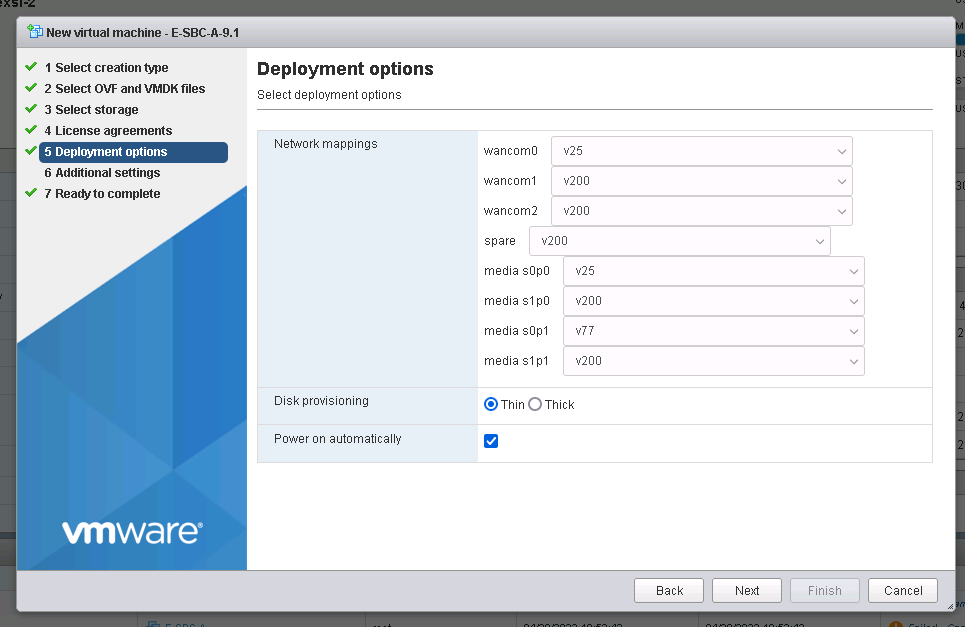
Bootprarm: leave it default
Password: acme
Newpassword:cisco,123
Enable
Password:packet
Newpassword:cisco,123
Setup product: 1 - 5 - d
e-sbc-a# setup product
--------------------------------------------------------------
WARNING:
Alteration of product alone or in conjunction with entitlement
changes will not be complete until system reboot
Last Modified 2022-04-28 14:23:51
--------------------------------------------------------------
1 : Product : Enterprise Session Border Controller
Enter 1 to modify, d' to display, 's' to save, 'q' to exit. [s]: s
save SUCCESS
e-sbc-a#
e-sbc-a#
e-sbc-a# setup entitlements
----------------------------------------------------------------
Entitlements for Enterprise Session Border Controller
Last Modified: Never
----------------------------------------------------------------
1 : Session Capacity : 0
2 : Advanced :
3 : STIR/SHAKEN Client :
4 : Admin Security :
5 : Data Integrity (FIPS 140-2) :
6 : Transcode Codec AMR :
7 : Transcode Codec AMR Capacity : 0
8 : Transcode Codec AMRWB :
9 : Transcode Codec AMRWB Capacity : 0
10: Transcode Codec EVS :
11: Transcode Codec EVS Capacity : 0
12: Transcode Codec OPUS Capacity : 0
13: Transcode Codec SILK Capacity : 0
Enter 1 - 13 to modify, d' to display, 's' to save, 'q' to exit. [s]: 1
Session Capacity (0-512000) : 8000
Enter 1 - 13 to modify, d' to display, 's' to save, 'q' to exit. [s]: 2
Advanced (enabled/disabled) : enabled
Enter 1 - 13 to modify, d' to display, 's' to save, 'q' to exit. [s]: d
----------------------------------------------------------------
Entitlements for Enterprise Session Border Controller
Last Modified: Never
----------------------------------------------------------------
1 : Session Capacity : 8000
2 : Advanced : enabled
3 : STIR/SHAKEN Client :
4 : Admin Security :
5 : Data Integrity (FIPS 140-2) :
6 : Transcode Codec AMR :
7 : Transcode Codec AMR Capacity : 0
8 : Transcode Codec AMRWB :
9 : Transcode Codec AMRWB Capacity : 0
10: Transcode Codec EVS :
11: Transcode Codec EVS Capacity : 0
12: Transcode Codec OPUS Capacity : 0
13: Transcode Codec SILK Capacity : 0
Enter 1 - 13 to modify, d' to display, 's' to save, 'q' to exit. [s]: s
SAVE SUCCEEDED
e-sbc-a#

Reboot
Config t
System
http-server
name clab
state enabled
realm
ip-address
http-state enabled
http-port 80
https-state disabled
https-port 443
http-interface-list REST,GUI
http-file-upload-size 0
tls-profile
auth-profile
last-modified-by admin@10.254.169.197
last-modified-date 2022-04-28 15:17:41
Done
Exit
Verify-config
Save-config
Activate-config
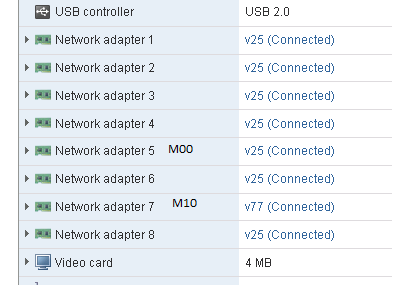
Sunday, 20 March 2022
Oracle SBC enable media-manager
Oracle SBC enable media-manager
To ensure proper anchoring of media, media-manager should be globally enabled. The option unique-sdp-id should be added as well
SBC handles media only if the media-manager element is configured. In this element many parameters used in the media steering functions are defined.
acmelabsbc2# show run media-manager short
media-manager
options unique-sdp-id
if disabled:

Media goes to peer IP:
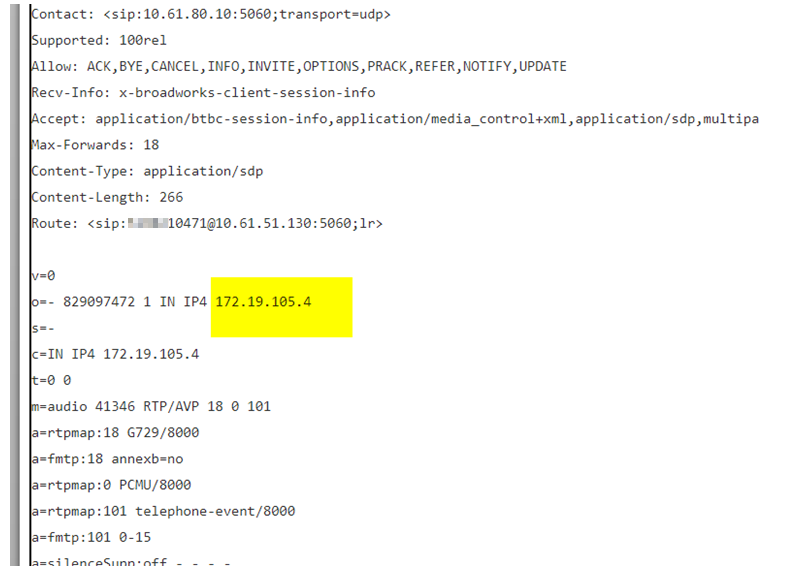
If enabled:
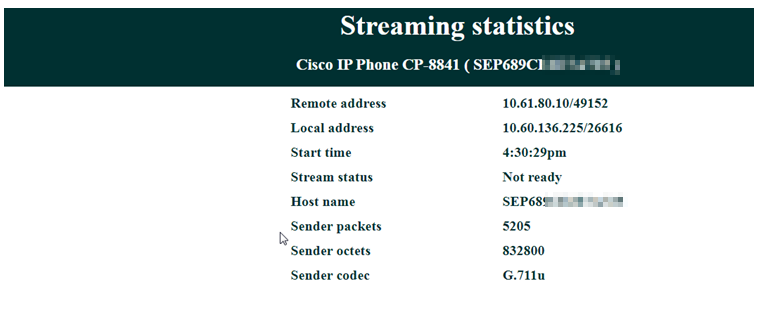
Media goes to internal interfaceIP:
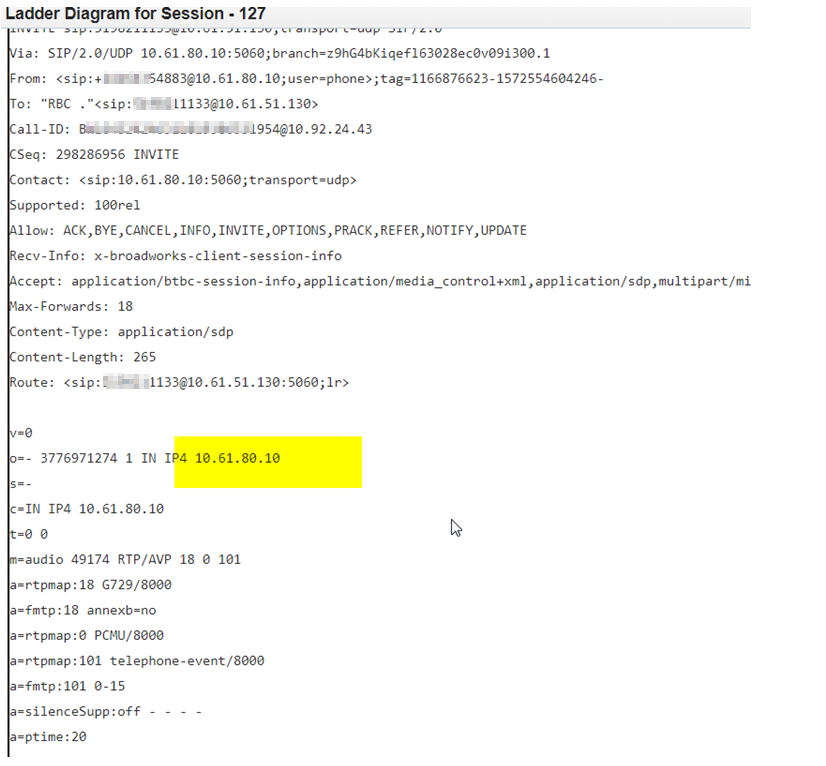
SBC Translation-rules add called number +1 outbound
id addCalledPlusOne
rules-called addPlusOne
translation-rules
id addPlusOne
type add
add-string +1
realm-config
identifier peer
network-interfaces M00:0
qos-enable enabled
out-translationid addCalledPlusOne
out-manipulationid fixgoestobellnewWITHpriority
access-control-trust-level low
If there is already plus 1, will not take effect. So change to test:
translation-rules
id addPlusOne
type add
add-string 888
To: <sip:888+15152212383@siptrunking.vm>
Saturday, 4 May 2019
Oracle Session Monitoring Installation – Probe Mediation Engine Connection (Version 4.1.0.3.0)
Oracle Session Monitoring Installation
– Probe to Mediation Engine Connection (Version 4.1.0.3.0)
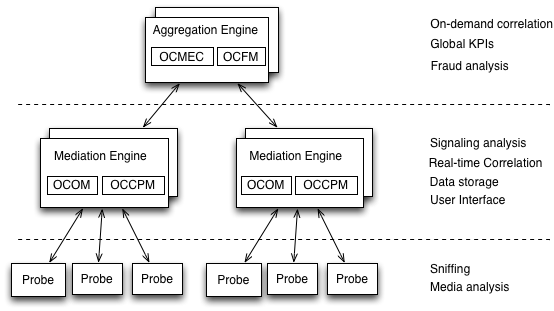
The Operations Monitor Probe can connect to one or more Mediation Engines, using TLS encryption,
or with some configurations, also cleartext. Likewise, a Mediation Engine can connect to more than one Operations Monitor Probe (as well as Session Border Controller Probes).
or with some configurations, also cleartext. Likewise, a Mediation Engine can connect to more than one Operations Monitor Probe (as well as Session Border Controller Probes).
The probes send meta-data for each of the signaling messages to the Mediation Engine layer and analyze
the RTP streams locally, sending the results of this analysis to the Mediation Engine layer.
the RTP streams locally, sending the results of this analysis to the Mediation Engine layer.
Figure 1-1 Session Monitor System Architecture
Oracle Linux : 7.5 (V975367-01.iso)
Session Monitor RPM file: p29473233_41000_Acme_Packet.zip
Enterprise edition of MySQL in version 5.7.10: p22322140_570_Linux-x86-64_mysql5.7.10.zip
Login to iLom and lunch Remote Console

Mount Linux 7.5
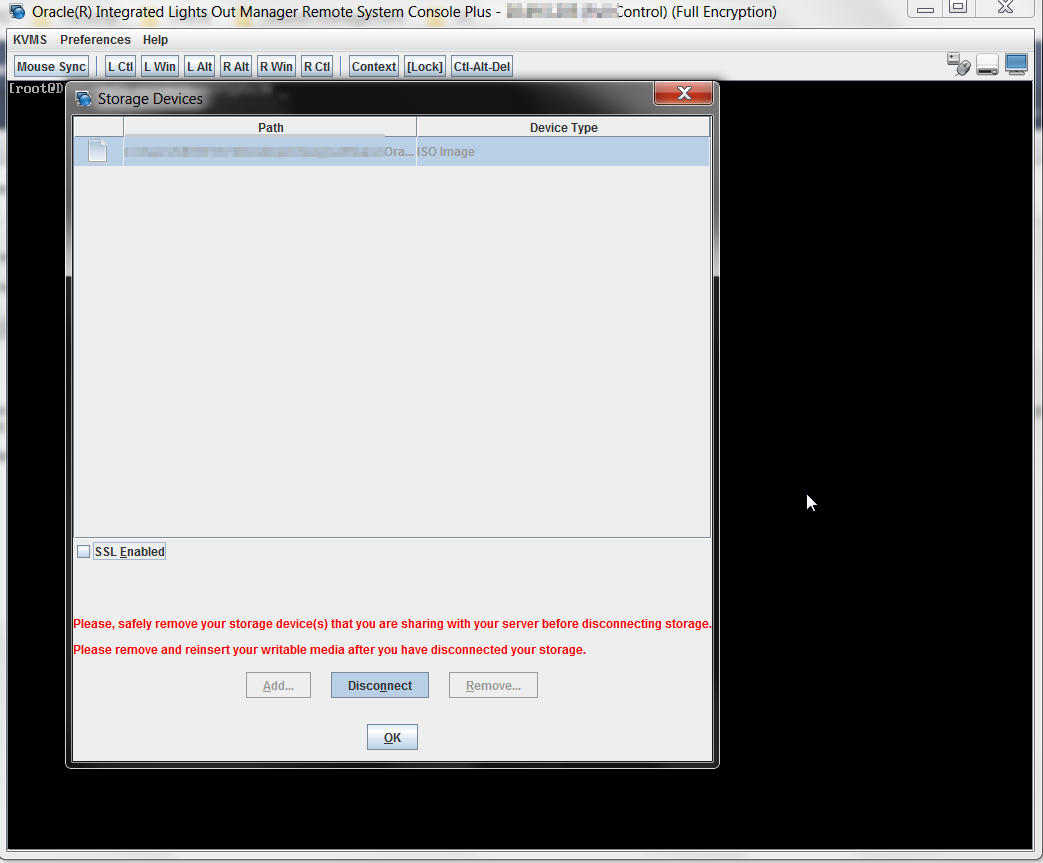
Reboot
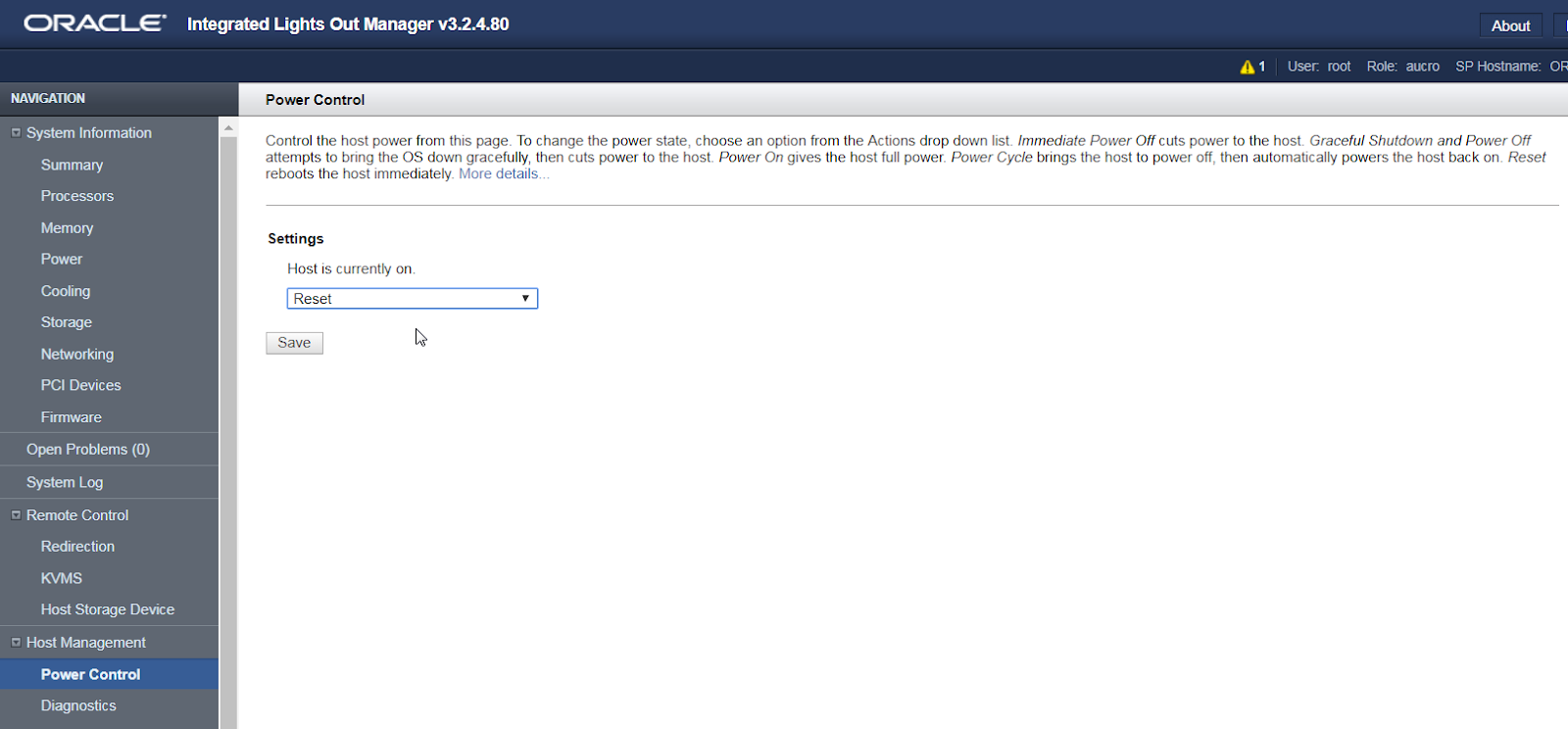
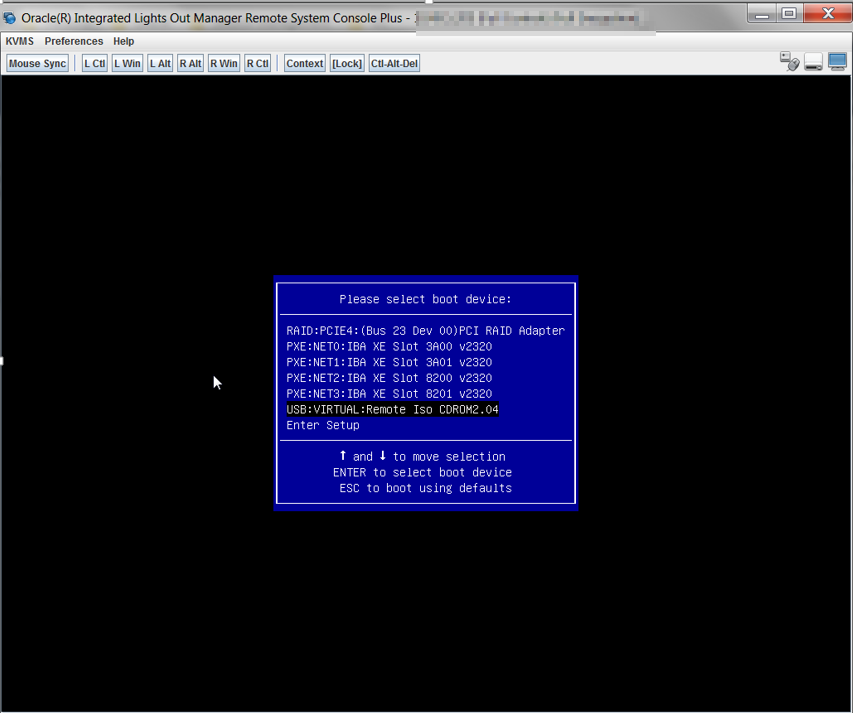
Boot from Remote ISO
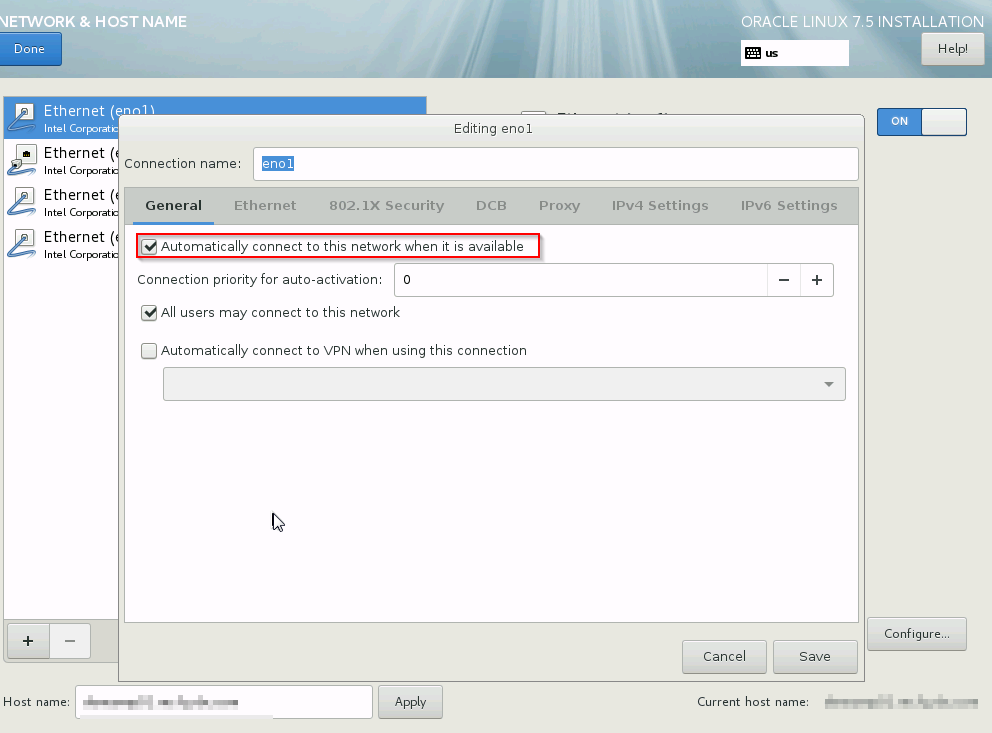
Configure IP address and tick automatic connect
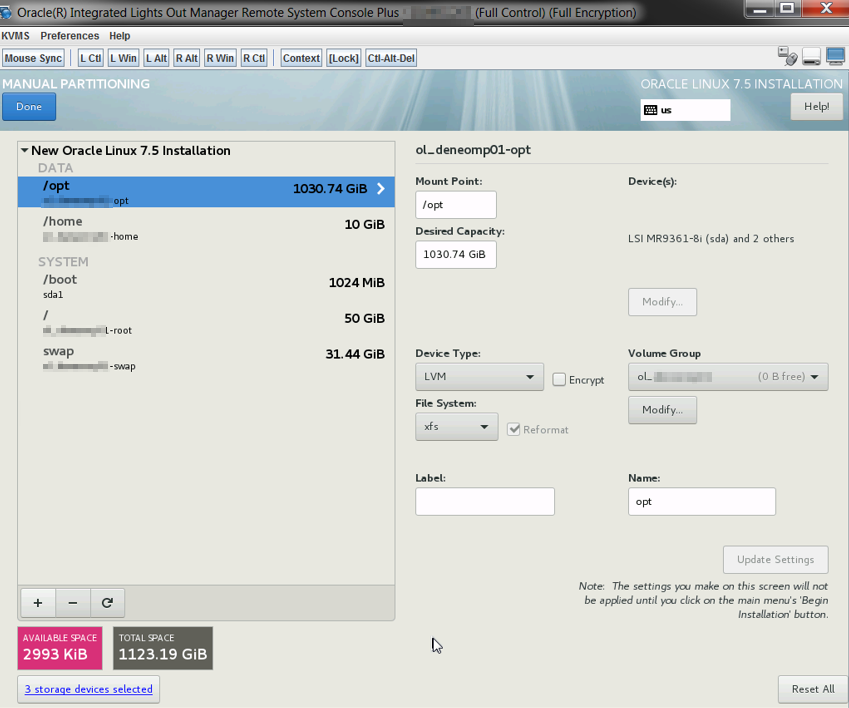
Make reasonable partition
Conigure Yum.conf proxy (optional)
proxy=http://HTTP_PROXY:PORT
proxy_username=USERNAME
proxy_password=PASSWORD
sslverify=false
Export http proxy variable(optional)
export http_proxy=http://USERNMAE:PASSWORD@PROXY_HOST:PORT
export https_proxy=$http_proxy
Download latest Repo file
mv public-yum-ol7.repo /etc/yum.repos.d/public-yum-ol7.repo
yum install -y yum-utils
yum-config-manager --enable ol7_latest ol7_UEKR4 ol7_developer_EPEL ol7_optional_latest ol7_addons ol7_UEKR3 ol7_UEKR5
Install latest Enterprise edition of MySQL in version 5.7.10 .

yum install -y mysql-commercial*.rpm
yum-config-manager --enable ol7_latest ol7_UEKR4 ol7_developer_EPEL ol7_optional_latest ol7_addons ol7_UEKR3 ol7_UEKR5
Install the Session Monitor RPM file
yum install ocsm-4.1.0.3.0.x86_64.rpm
Find installation logs
[root@HOSTNAME]# pwd
/var/log/ocsm
[root@HOSTNAMEocsm]# ls
ocsm_installed_XXXXDATE_MDT.log ocsm_preinstall_XXXXXDATE_MDT.log
Turning VSI to handle the additional traffic
Added the following to the file /opt/oracle/ocsm/etc/iptego/vsi.local.conf:
[ip]
table_bits = 16 # default is 10
expires = 30
[storage]
parallel_blocks=20
prealloc_blocks=40
startup_blocks=8
[users]
xmlrpc_search_minimum_results=0
xmlrpc_search_timeout=2
table_bits=24
[tm]
table_bits = 24
Added the following to the file /opt/oracle/ocsm/etc/iptego/vsi.local.conf:
[ip]
table_bits = 16 # default is 10
expires = 30
[storage]
parallel_blocks=20
prealloc_blocks=40
startup_blocks=8
[users]
xmlrpc_search_minimum_results=0
xmlrpc_search_timeout=2
table_bits=24
[tm]
table_bits = 24
Adjust the firewall
firewall-cmd --permanent --zone=public --add-service=https
firewall-cmd --permanent --zone=public --add-port=4739/tcp
firewall-cmd --permanent --zone=public --add-port=4740/tcp
firewall-cmd --permanent --zone=public --add-port=4741/tcp
firewall-cmd --permanent --zone=public --add-port=4742/tcp
firewall-cmd –reload
login to Session Monitor
username: sysadmin
password: oracle
Configure Platform Setup Application
Choose Probe as Machine type

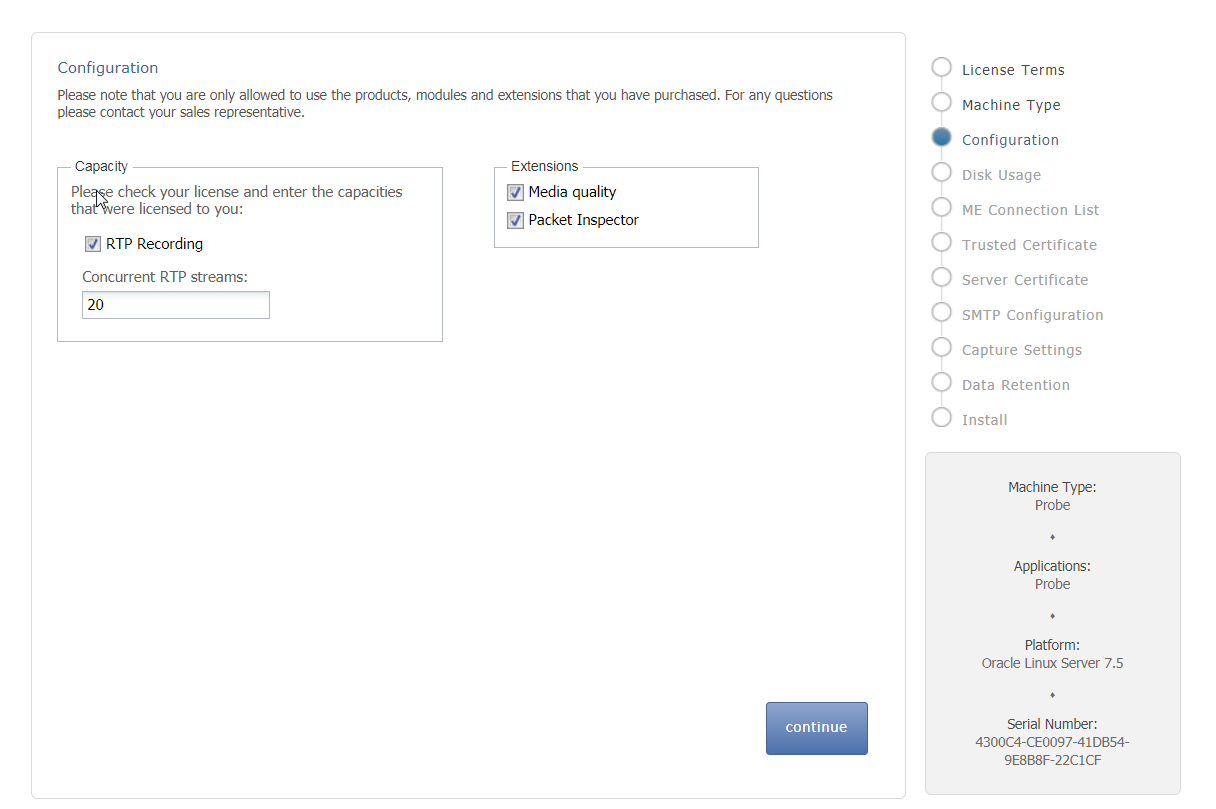
Add new ME connection

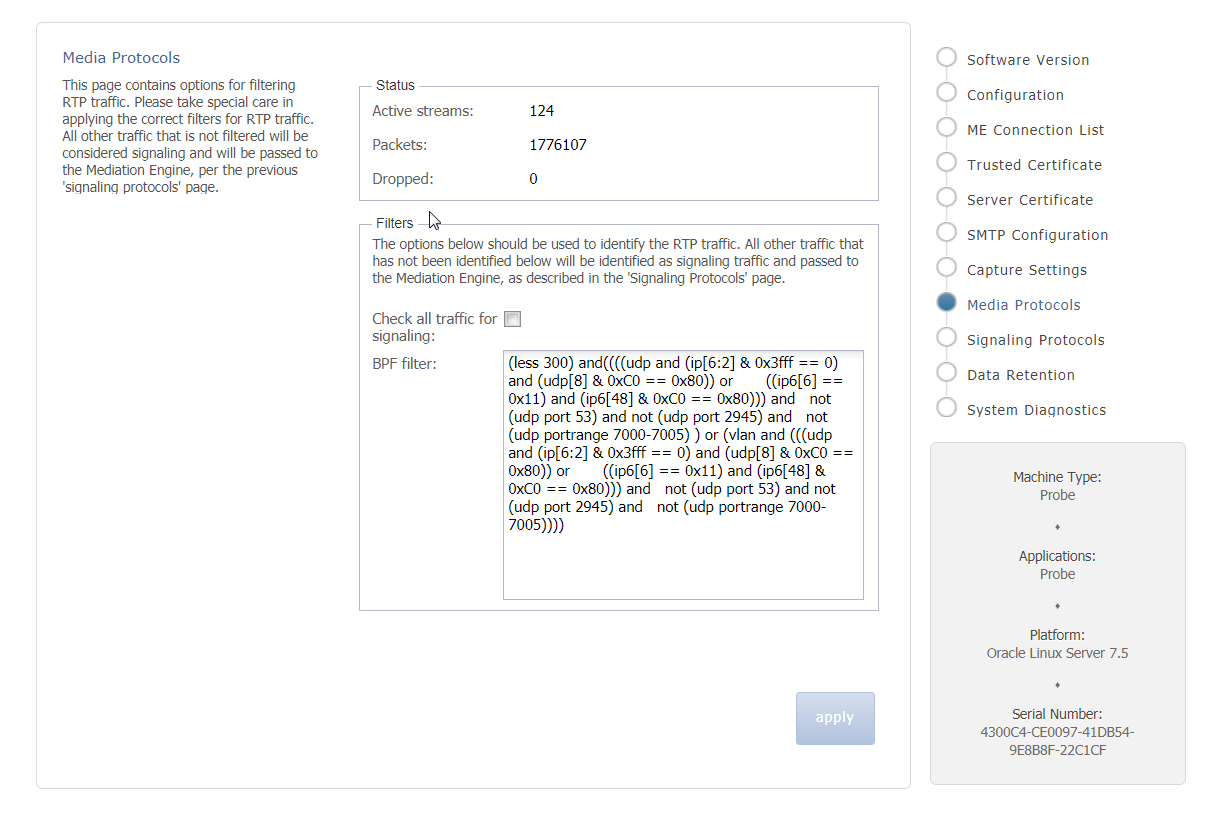
Enable capture
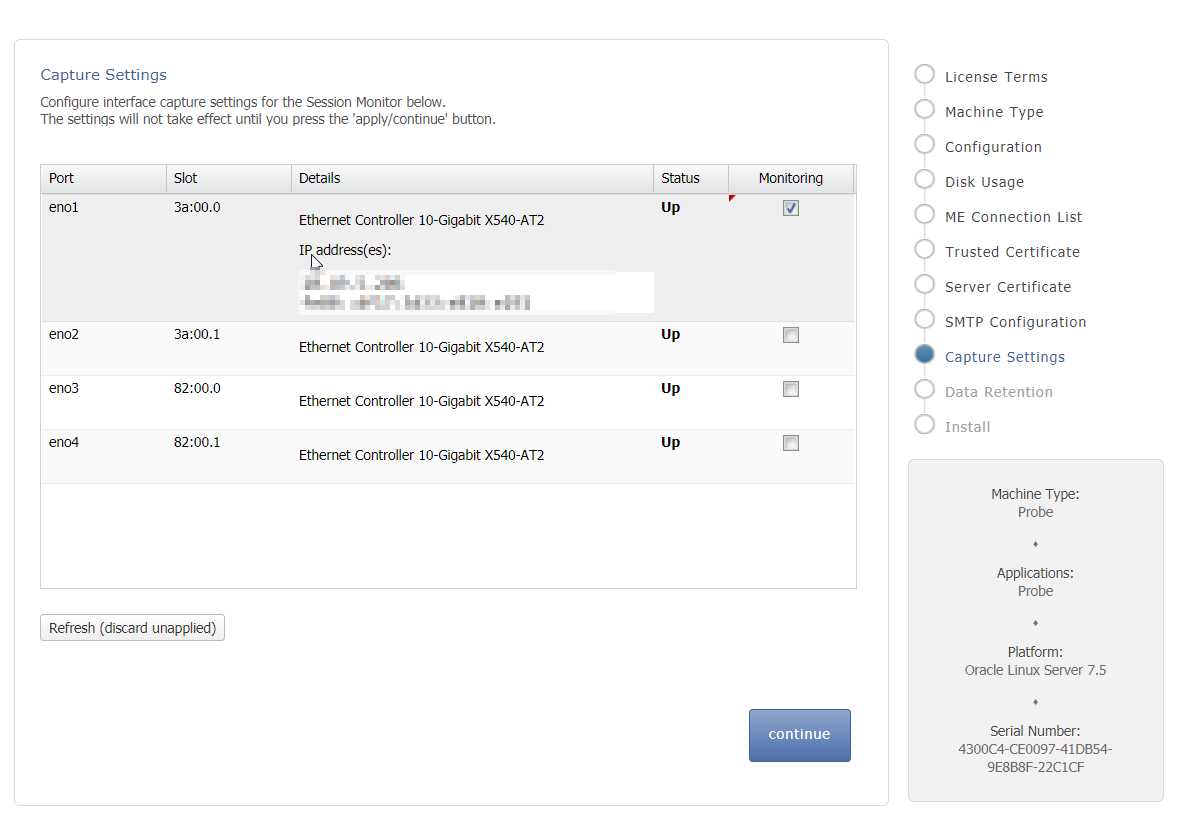
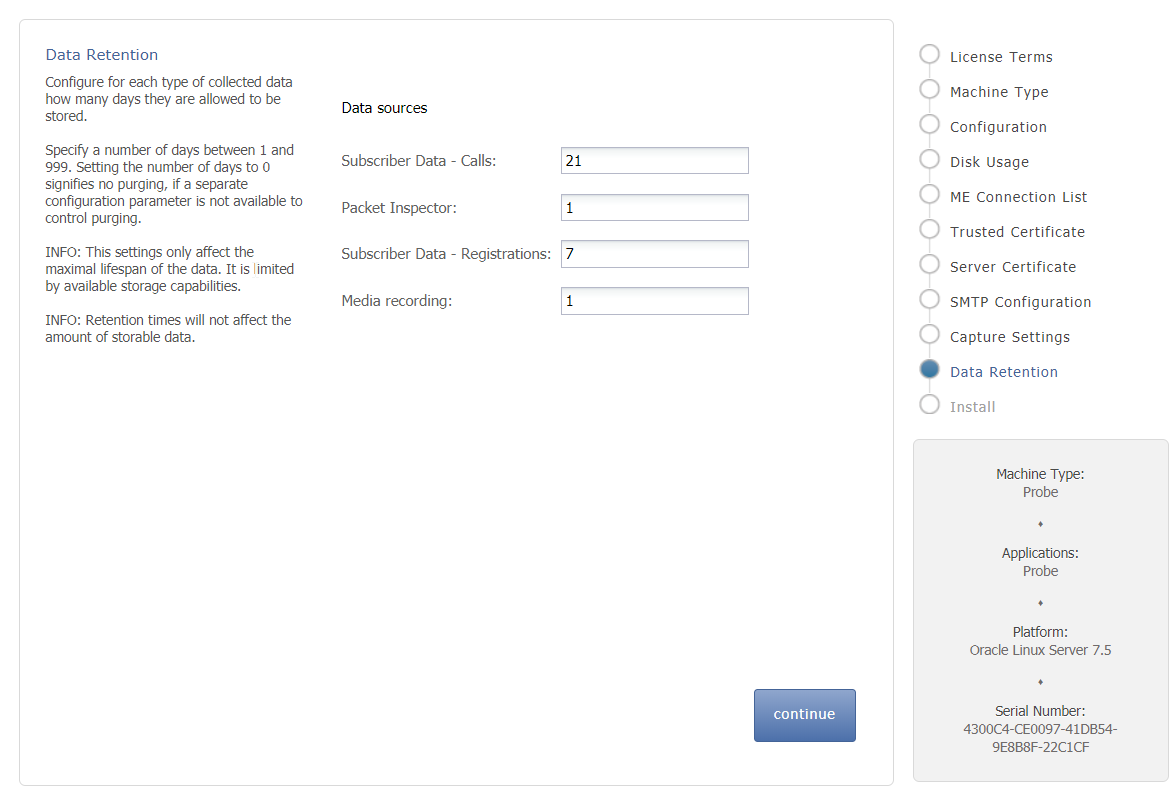
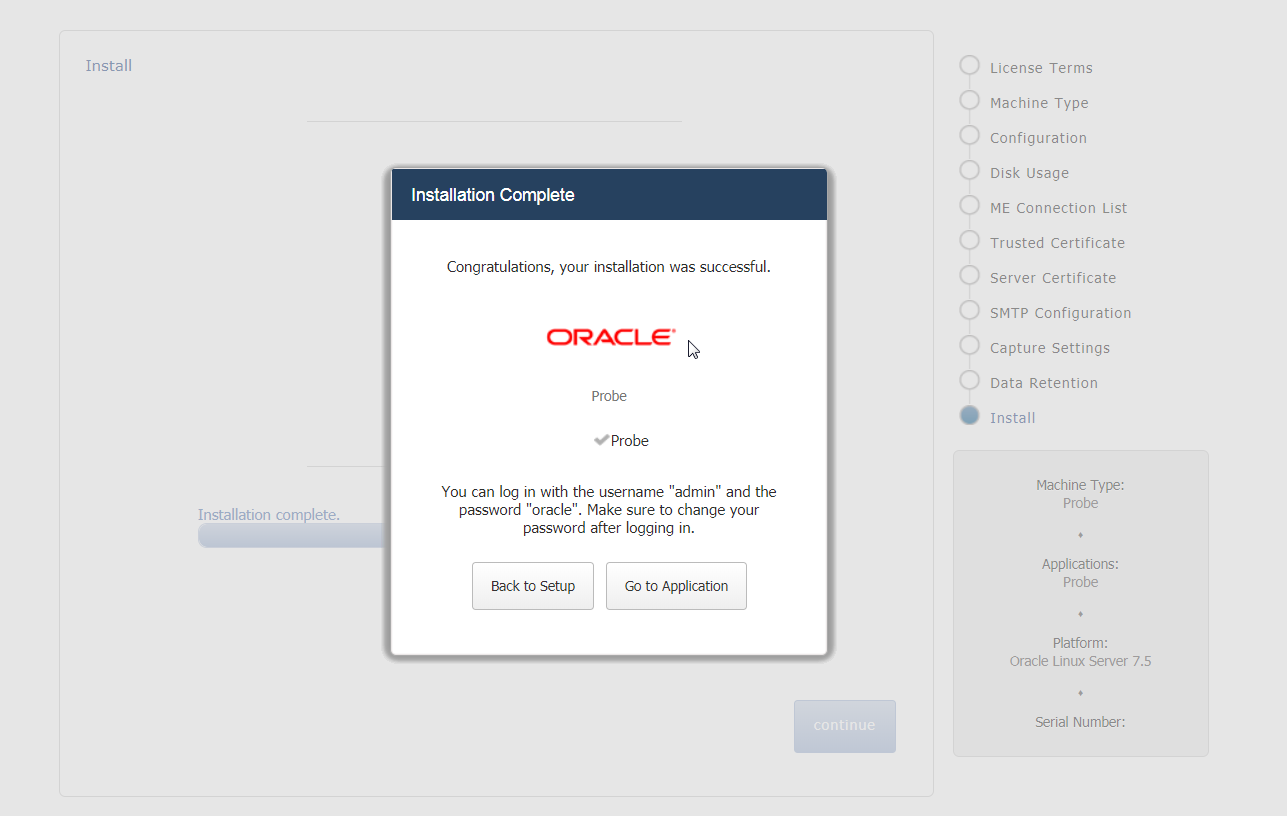
Install
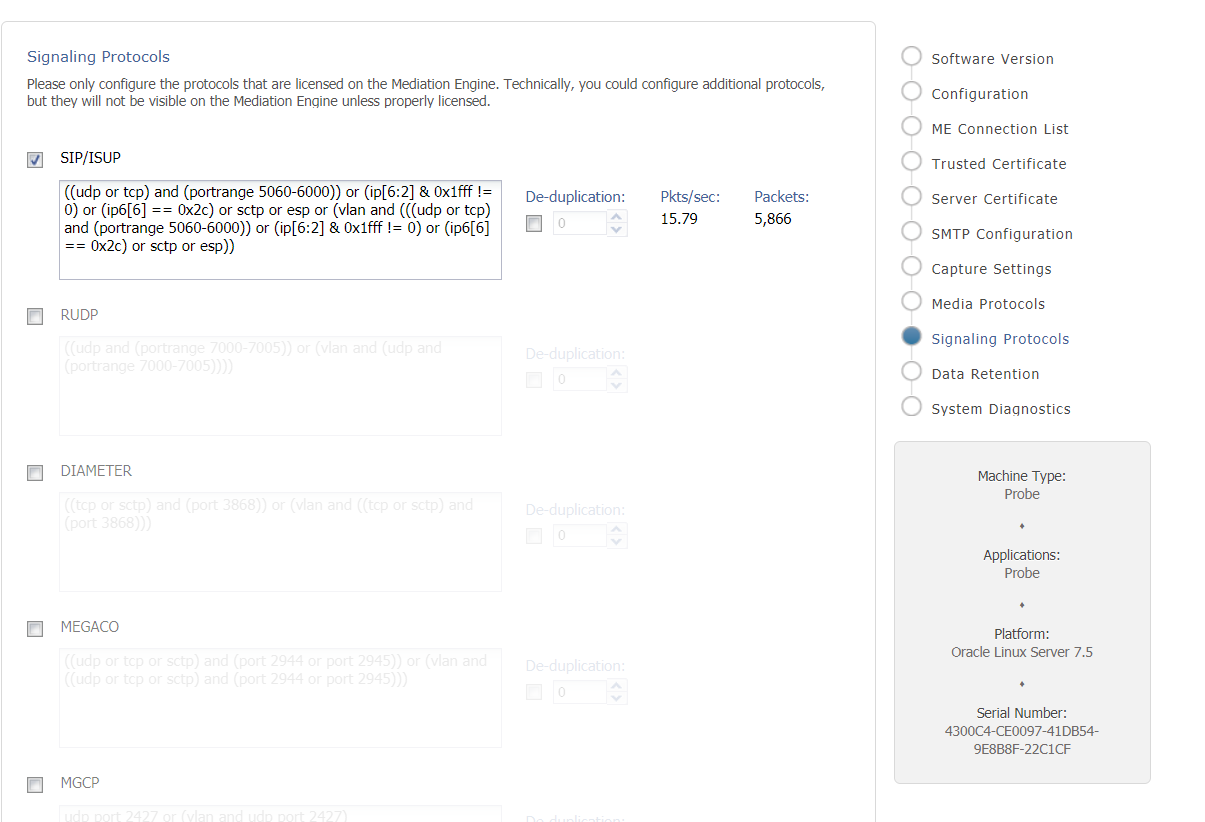
Check packets are growing
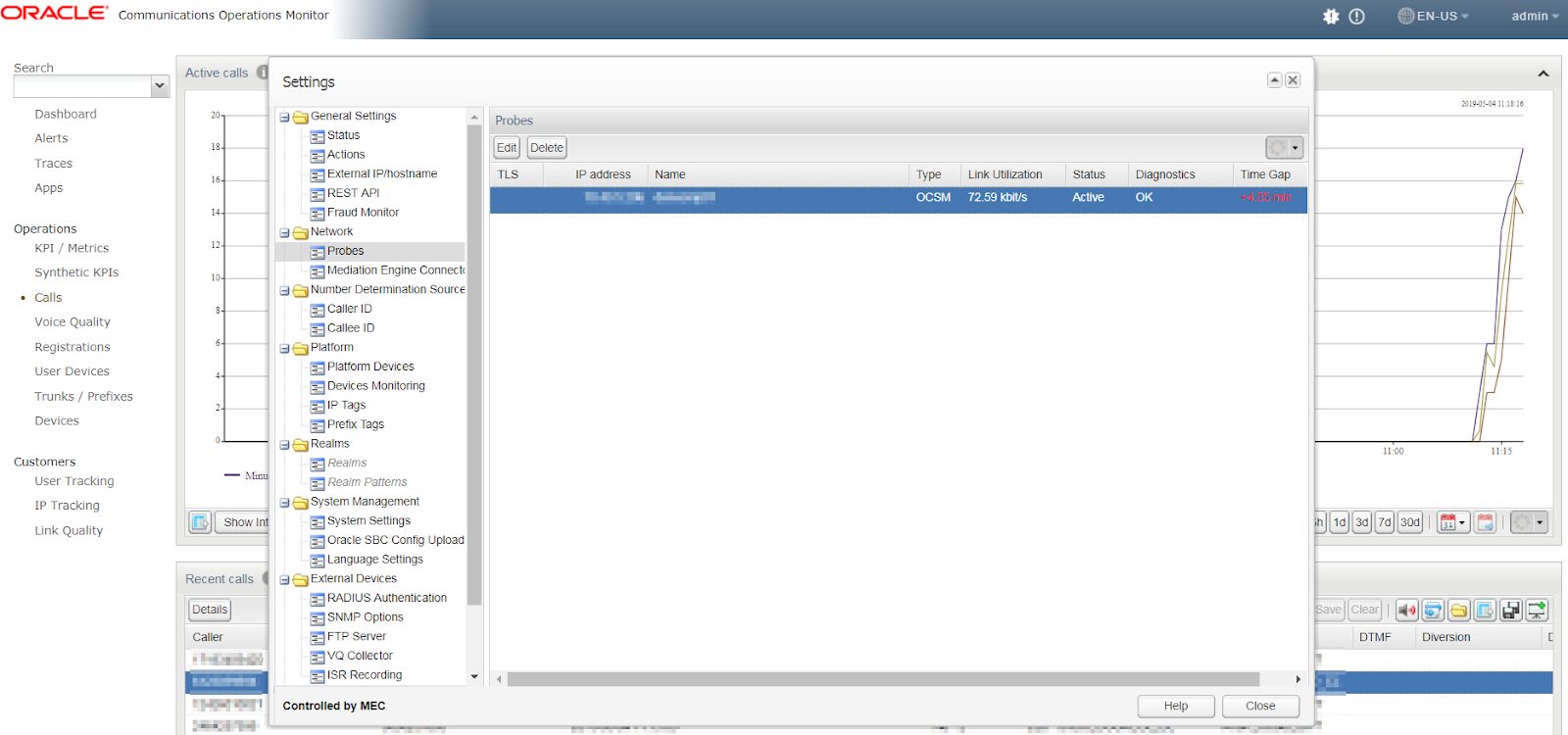
Login to ME node and see Probes detected automatically
Subscribe to:
Posts (Atom)