Showing posts with label Cisco Unity CN/Connection. Show all posts
Showing posts with label Cisco Unity CN/Connection. Show all posts
Thursday, 24 March 2022

Sunday, 5 April 2015
Wednesday, 1 April 2015
Installing ISM-CUE Service Ready Engine (SRE) 8.5
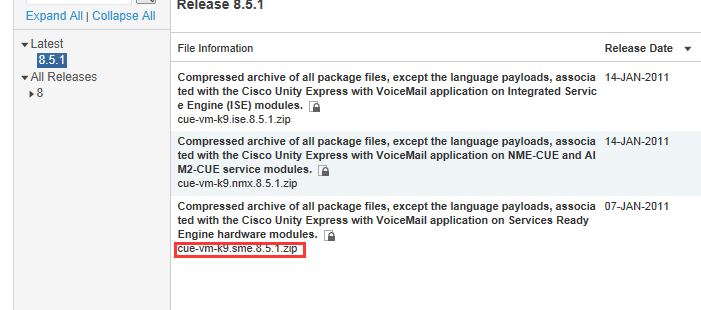
Download Unity Express Version 8.5

Extract cue-vm-k9.sme.8.5.1.zip
Configure ISM module.
interface ISM0/0
ip unnumbered GigabitEthernet0/0.20
service-module ip address 161.163.30.133 255.255.255.128
!Application: CUE Running on ISM
service-module ip default-gateway 161.163.30.131
ip route 161.163.30.133 255.255.255.255 ISM0/0
Installing Unity Express Version 8.5
service-module ism 0/0 install url ftp://cisco:Cisco123@161.163.218.113/ cue-vm-k9.sme.8.5.1.pkg
Proceed with installation? [no]: yes
Loading cue-vm-k9.sme.8.5.1.pkg.install.sre !
[OK - 22313/4096 bytes]
Following languages are available for installation.
# SKU Language Code Language Name
------------------------------------------------------------
1 ITA it_IT CUE Voicemail Italian
2 ESP es_ES CUE Voicemail European Spanish
3 ENU en_US CUE Voicemail US English
4 FRA fr_FR CUE Voicemail European French
5 ESO es_CO CUE Voicemail Latin American Spanish
6 ESM es_MX CUE Voicemail Mexican Spanish
7 ARA ar_SA CUE Voicemail Arabic
8 NLD nl_NL CUE Voicemail Dutch
9 SVE sv_SE CUE Voicemail Swedish
10 NOR no_NO CUE Voicemail Norwegian
11 FRC fr_CA CUE Voicemail Canadian French
12 PTG pt_PT CUE Voicemail Portuguese
13 TUR tr_TR CUE Voicemail Turkish
14 HUN hu_HU CUE Voicemail Hungarian
15 ENG en_GB CUE Voicemail UK English
16 DEU de_DE CUE Voicemail German
17 DAN da_DK CUE Voicemail Danish
18 PTB pt_BR CUE Voicemail Brazilian Portuguese
19 KOR ko_KR CUE Voicemail Korean
20 CHS zh_CN CUE Voicemail Mandarin Chinese
21 JPN ja_JP CUE Voicemail Japanese
22 RUS ru_RU CUE Voicemail Russian
23 HBR iw_IL CUE Voicemail Hebrew
You can install upto 5 language(s) on this platform.
Please select the language(s) you want to install by entering the language number(s)
Languages can be entered as comma separated or space separated list
Example: 1,3 would select 'Italian' and 'US English'
Enter languages:3
Following languages will be installed on the system:
CUE Voicemail US English
Do you want to continue with the selected options?(y/n):y
input string: lang=no=1,CUE Voicemail US English
Remember download language package and put to the same path.
Check status
service-module isM 0/0 status
Service Module is Cisco ISM0/0
Service Module supports session via TTY line 131
Service Module is in Steady state
Service Module heartbeat-reset is enabled
Getting status from the Service Module, please wait..
Cisco Unity Express 8.5.1
CUE Running on ISM
Module resource information:
CPU Frequency: 1064 MHz
Memory Size: 513168 MB
Disk 0 Size: 7840 MB
Sunday, 29 March 2015
Ciscoshizzle: Cisco Unity Connection Call Handlers
Ciscoshizzle: Cisco Unity Connection Call Handlers: Call Handlers are a very good way to implement simple call flows. For more complex call flows and IVR's; CUC is definitely not the pla...
Configuration of AA in Cisco Unity
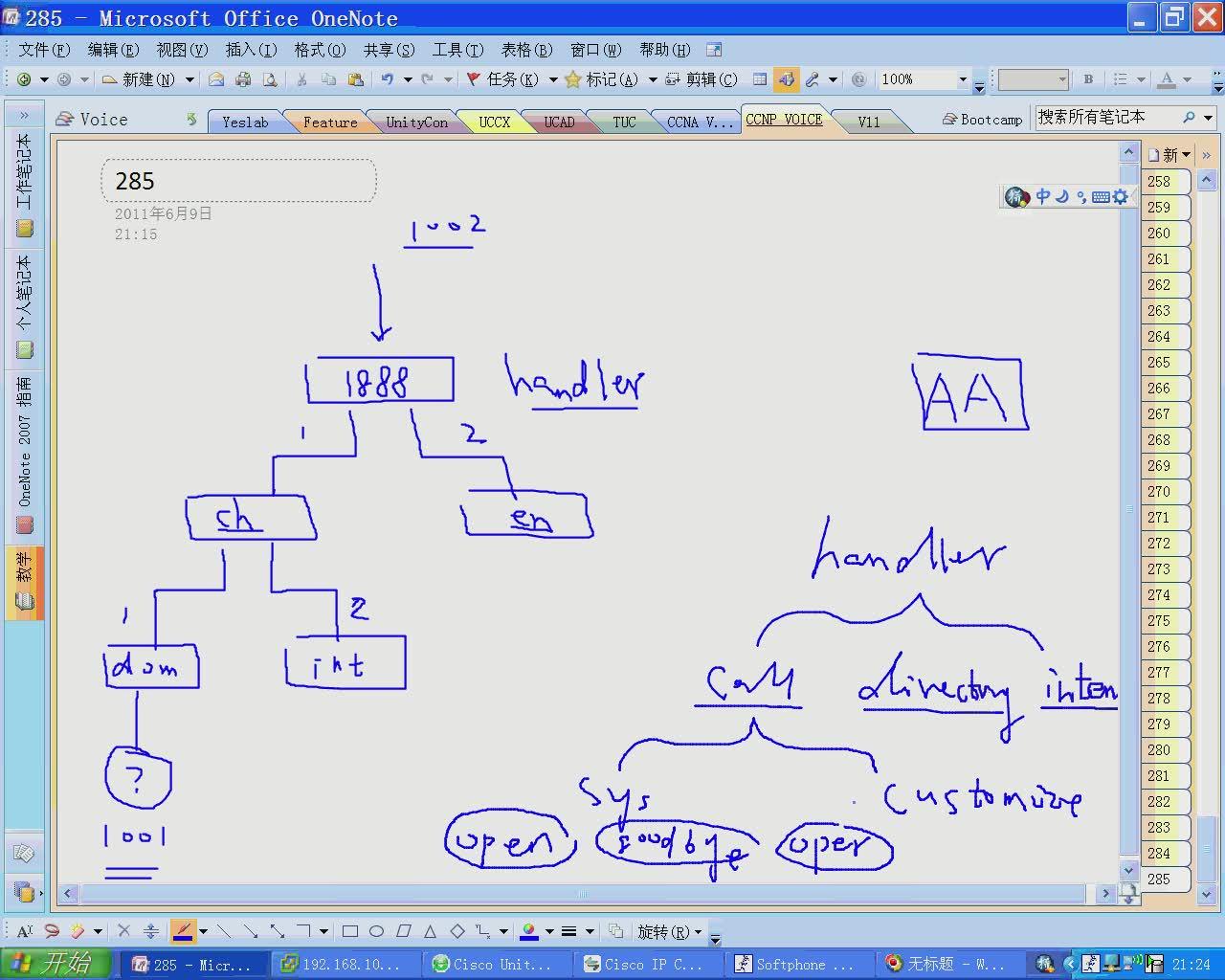
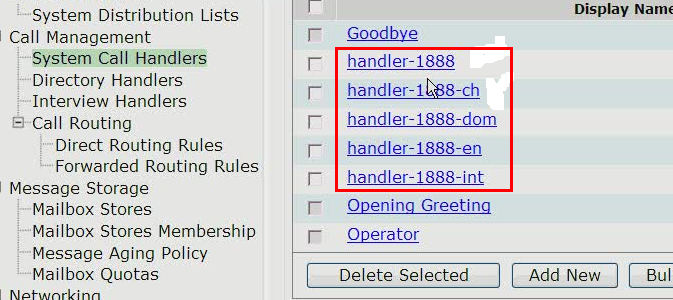

Listen greeting standard, and start recording

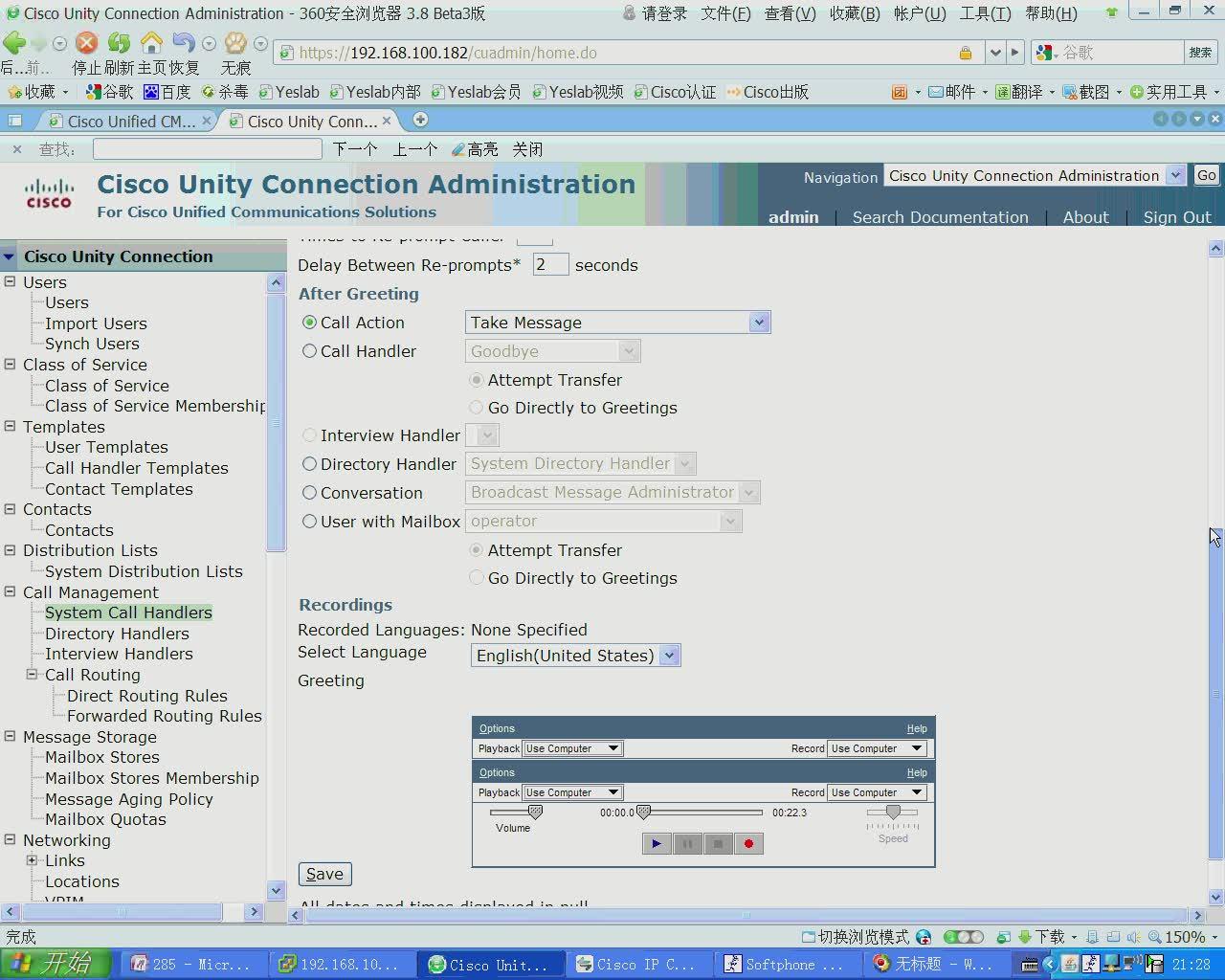
Input 1, and lock
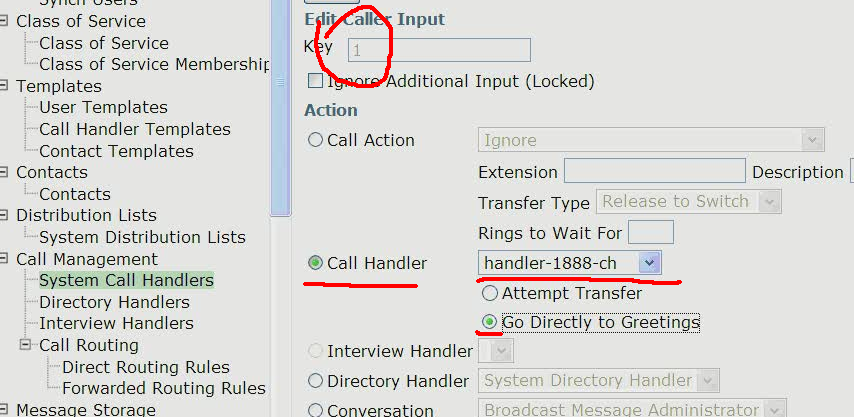
Input 2 and lock
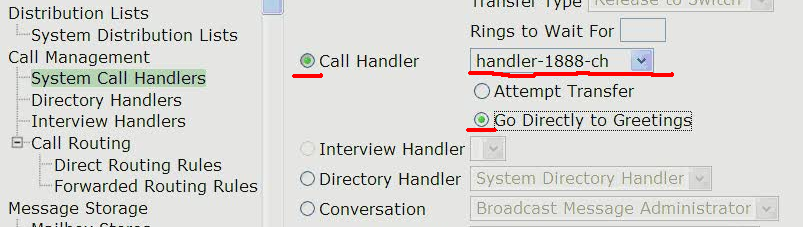
Re-prompt * and lock

Input 0 to operator

In another handler

transfer
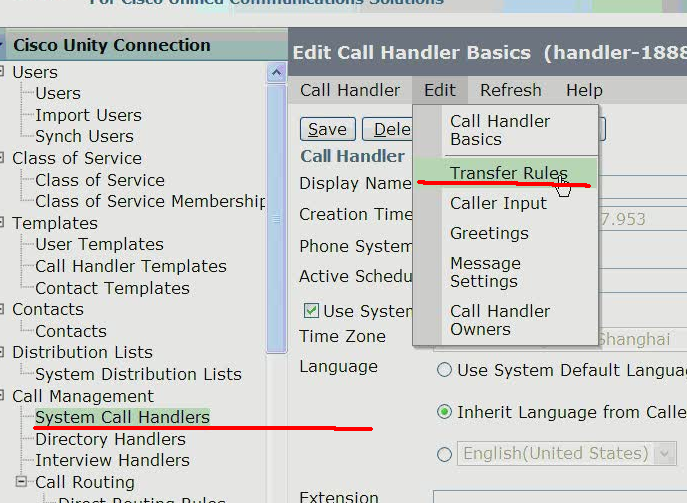
Stander 的transfer-rule
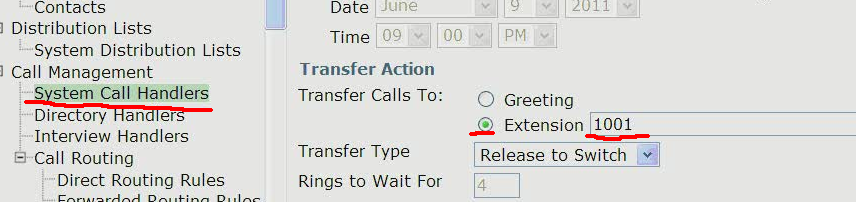
===============CCM ======================

================UNITY ============================
New call-routing 1888

Rule condition


operator
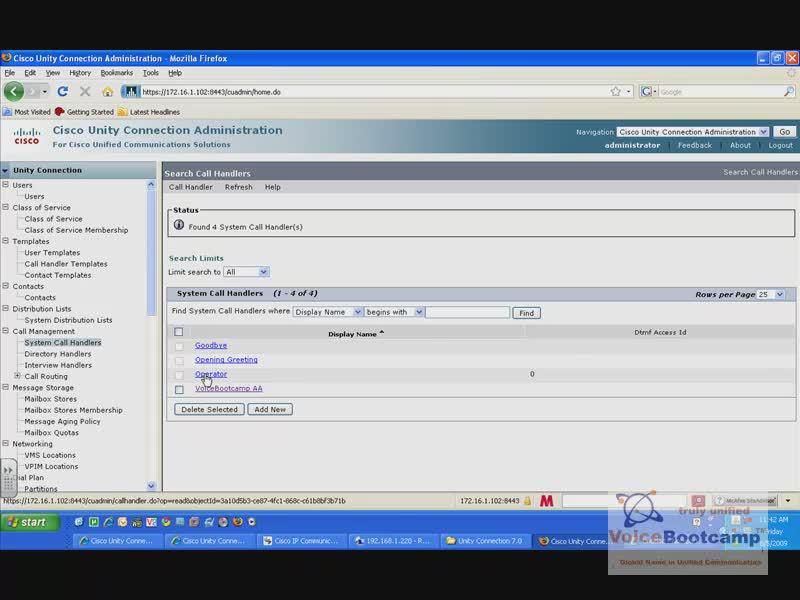

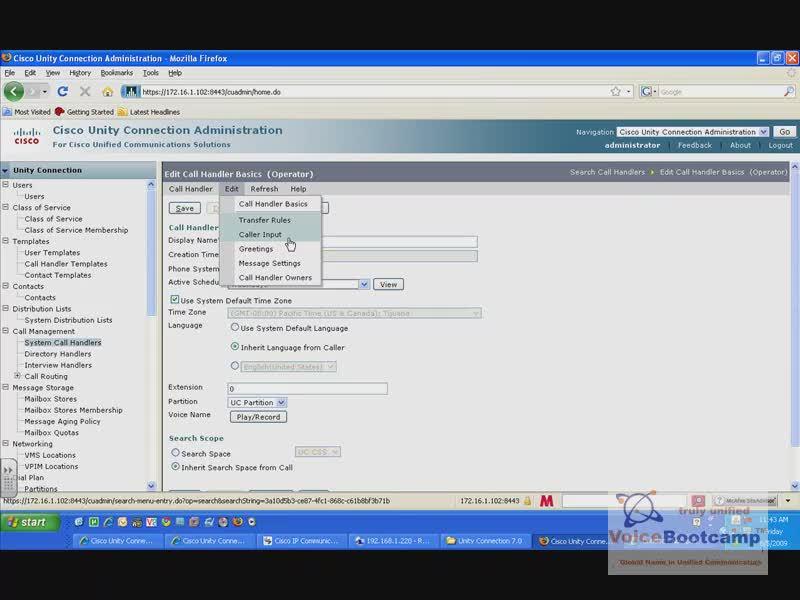
Transfer to operator
Input 1 dial-by-extension

Sunday, 13 April 2014
Cisco UnityCN SIP Integration
Create sip profile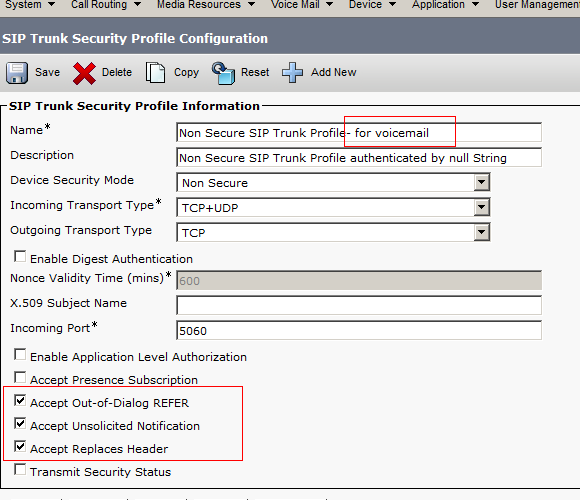
Create sip trunk
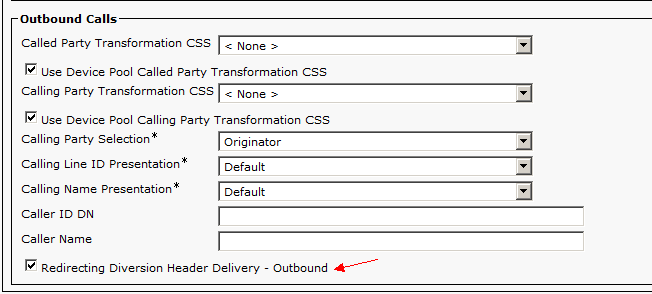
Set up css for outbound call feature: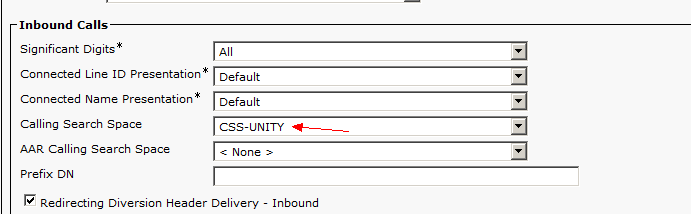
Create route-pattern: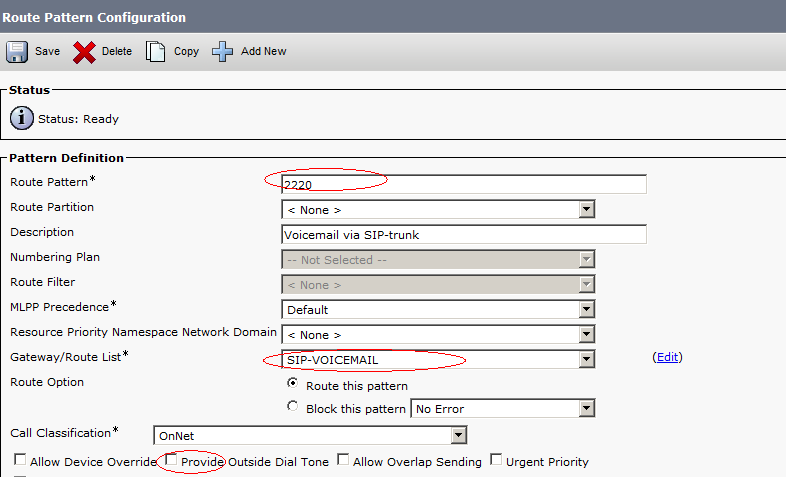
Profile:

Pliot:

unityCN:
Phone system: 
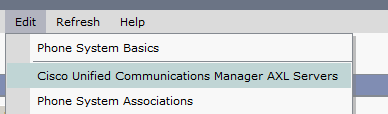
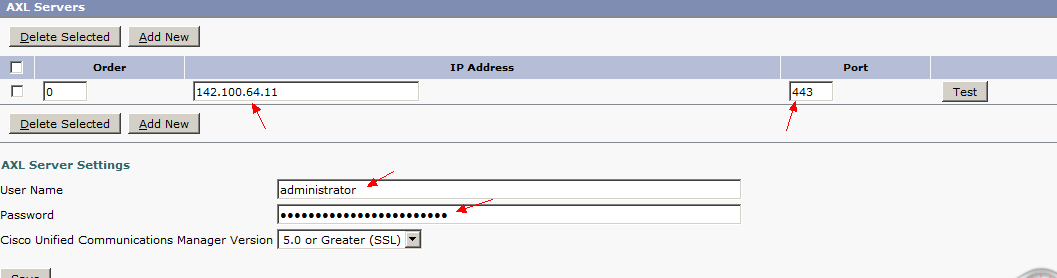
port-group:

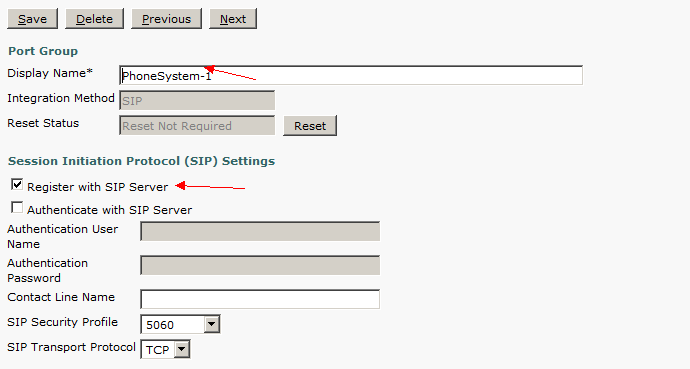

Add ports:


Saturday, 12 April 2014
Register VG224 as SCCP Gateway
Configure VG224 as SCCP gateway
1.#base gw configuration#
voice-port 2/0
timeouts ringing infinity
caller-id enable
!
voice-port 2/1
timeouts ringing infinity
caller-id enable
!
voice-port 2/2
timeouts ringing infinity
caller-id enable
!
voice-port 2/3
timeouts ringing infinity
caller-id enable
!
voice-port 2/4
timeouts ringing infinity
caller-id enable
!
voice-port 2/5
timeouts ringing infinity
caller-id enable
!
voice-port 2/6
timeouts ringing infinity
caller-id enable
!
voice-port 2/7
timeouts ringing infinity
caller-id enable
!
voice-port 2/8
timeouts ringing infinity
caller-id enable
!
voice-port 2/9
timeouts ringing infinity
caller-id enable
!
voice-port 2/10
timeouts ringing infinity
caller-id enable
!
voice-port 2/11
timeouts ringing infinity
caller-id enable
!
voice-port 2/12
timeouts ringing infinity
caller-id enable
!
voice-port 2/13
timeouts ringing infinity
caller-id enable
!
voice-port 2/14
timeouts ringing infinity
caller-id enable
!
voice-port 2/15
timeouts ringing infinity
caller-id enable
!
voice-port 2/16
timeouts ringing infinity
caller-id enable
!
voice-port 2/17
timeouts ringing infinity
caller-id enable
!
voice-port 2/18
timeouts ringing infinity
caller-id enable
!
voice-port 2/19
timeouts ringing infinity
caller-id enable
!
voice-port 2/20
timeouts ringing infinity
caller-id enable
!
voice-port 2/21
timeouts ringing infinity
caller-id enable
!
voice-port 2/22
timeouts ringing infinity
caller-id enable
!
voice-port 2/23
timeouts ringing infinity
caller-id enable
2.#base sccp control dial-peer#
dial-peer voice 400 pots
service stcapp
port 2/0
!
dial-peer voice 401 pots
service stcapp
port 2/1
!
dial-peer voice 402 pots
service stcapp
port 2/2
!
dial-peer voice 403 pots
service stcapp
port 2/3
!
dial-peer voice 404 pots
service stcapp
port 2/4
!
dial-peer voice 405 pots
service stcapp
port 2/5
!
dial-peer voice 406 pots
service stcapp
port 2/6
!
dial-peer voice 407 pots
service stcapp
port 2/7
!
dial-peer voice 408 pots
service stcapp
port 2/8
!
dial-peer voice 409 pots
service stcapp
port 2/9
!
dial-peer voice 410 pots
service stcapp
port 2/10
!
dial-peer voice 411 pots
service stcapp
port 2/11
!
dial-peer voice 412 pots
service stcapp
port 2/12
!
dial-peer voice 413 pots
service stcapp
port 2/13
!
dial-peer voice 414 pots
service stcapp
port 2/14
!
dial-peer voice 415 pots
service stcapp
port 2/15
!
dial-peer voice 416 pots
service stcapp
port 2/16
!
dial-peer voice 417 pots
service stcapp
port 2/17
!
dial-peer voice 418 pots
service stcapp
port 2/18
!
dial-peer voice 419 pots
service stcapp
port 2/19
!
dial-peer voice 420 pots
service stcapp
port 2/20
!
dial-peer voice 421 pots
service stcapp
port 2/21
!
dial-peer voice 422 pots
service stcapp
port 2/22
!
dial-peer voice 423 pots
service stcapp
port 2/23
!
3.#base sccp configuration#
sccp local FastEthernet0/0
sccp ccm x.x.x.x identifier 1 version 7.0+
sccp ccm y.y.y.y identifier 2 version 7.0+
sccp ccm group 1
bind interface fastethernet 0/0
associate ccm 1 priority 1
associate ccm 2 priority 2
connect retries 32
connect interval 5
switchback method graceful
stcapp ccm-group 5
stcapp
!
stcapp feature access-code
!
stcapp feature speed-dial
!
stcapp feature default
4.#fax#
voice service voip
fax protocol t38 nse force
6.#CM#
A.
B.
MAC is the last ten digits of Fa0/0. if you are configuring FAX, please turn on the T.38 fax relay

D.
E.
F.enter 2/0 port, and setup DN
G.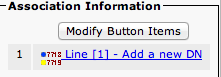
configure DN
H.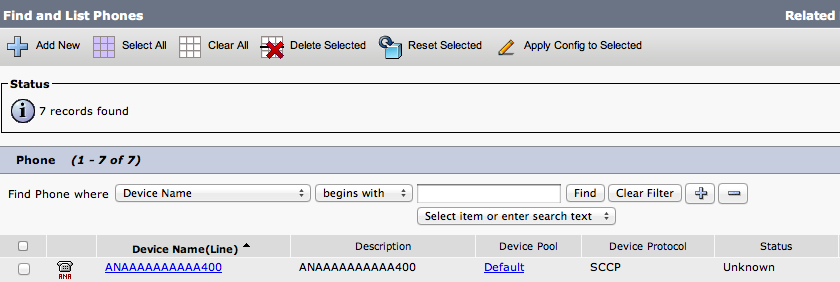
7.type sccp command to register

Subscribe to:
Posts (Atom)